There are millions of mobile apps are available for different devices irrespective of their operating systems. Due to increasing uses of smartphones demand of mobile apps are increasing day by day and mobile developers are putting their best of efforts to fulfill those demands.

Selling or increasing the user base for a particular mobile app is a challenging task it depends lot on its competition in its nice marketing. If you have developed an awesome mobile application then you must take care of web presentation of this app while selling or promoting it online.
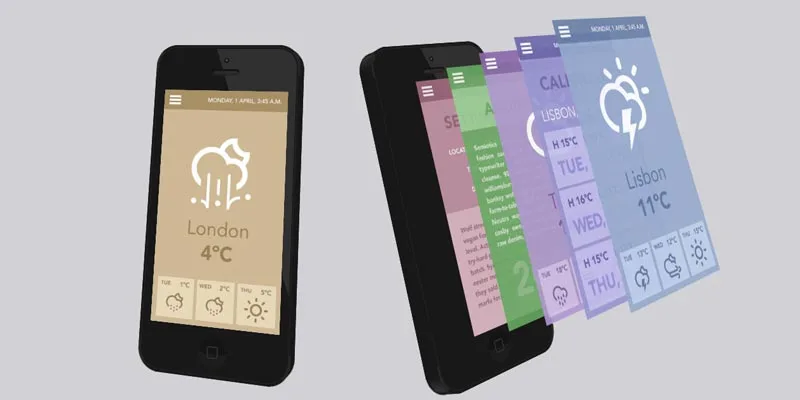
To ease your mobile application showcasing task I am going to share with you a beautiful tutorial created by Codrops team by which you can showcase your mobile apps screenshots in a variety of toggle 3D view effect.
There are three types of demo of its tutorial and you can present your mobile apps screenshot in three different styles.
When you click on toggle button then mobile will rotate the phone and stack out the screenshots inside mobile phone in 3D view style. Do follow the uses guidelines of it and promote your mobile apps by showcasing it in 3D view style.
|
[button color=”red” size=”small” link=”http://tympanus.net/Development/3DEffectMobileShowcase/” target=”blank” ]Demo[/button] |
[button color=”red” size=”small” link=”http://tympanus.net/Development/3DEffectMobileShowcase/3DEffectMobileShowcase.zip” target=”blank” ]Download Source[/button] |
[button color=”red” size=”small” link=”http://tympanus.net/codrops/2013/08/01/3d-effect-for-mobile-app-showcase/” target=”blank” ]Access Tutorial[/button] |