AMPPS: The Best Alternative to XAMPP and WAMP
In the ever-evolving landscape of web development, PHP developers often find themselves in need of reliable software stacks to streamline their workflow. Historically, XAMPP and WAMP have been popular choices among developers for running PHP applications locally. However, many users have encountered limitations regarding updates, support, and features with these tools.
Why AMPPS Stands Out
As technology continues to advance, developers require a more robust solution that provides timely updates and support for essential components like Apache, MySQL, phpMyAdmin, and PHP itself. Enter AMPPS, a versatile application stack that combines the best features of traditional stacks like WAMP and MAMP while addressing common pain points faced by developers.
What is AMPPS?
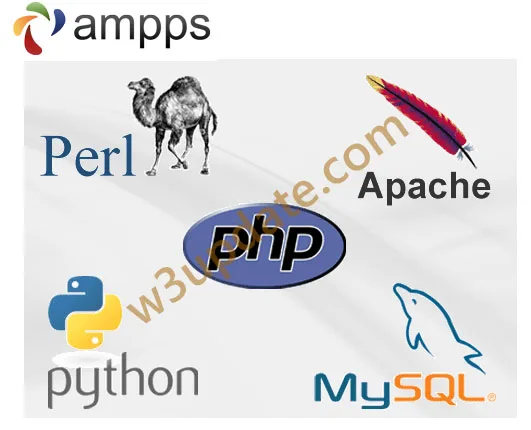
AMPPS is an application stack that encompasses various technologies including Apache, MySQL, MongoDB, PHP, Perl, and Python. It is designed to simplify the development process by allowing users to focus on building applications rather than managing server configurations.
Key Features of AMPPS
Extensive Application Library: AMPPS comes with over 285 pre-configured applications that you can install with just one click. This includes popular content management systems (CMS) like WordPress, Joomla, and Drupal. You can customize these applications to suit your needs easily.
User-Friendly Interface: The intuitive graphical user interface (GUI) of AMPPS makes it easy to manage your development environment. You can easily switch between different versions of PHP, manage databases, and configure server settings without needing extensive technical knowledge.
Real-Time Web-Based Support: AMPPS offers a comprehensive support system with a dedicated web-based support team ready to assist you in real-time. This ensures that you have access to the help you need, whenever you need it.
Regular Updates: AMPPS ensures that you always have the latest versions of Apache, MySQL, and PHP. Regular updates mean that you can take advantage of new features and security enhancements without the hassle of manual upgrades.
How to Get Started with AMPPS
Getting started with AMPPS is a straightforward process. Follow these steps to set up your local development environment:
Download and Install: Go to the AMPPS website and download the installer for your operating system (Windows, macOS, or Linux). Once downloaded, run the installer and follow the on-screen instructions.
Launch AMPPS: After installation, launch the AMPPS application. A user-friendly dashboard will greet you where you can manage applications and server settings.
Select and Install Applications: Browse the application library and choose any applications you wish to install. Customize the installation as needed and start building your website or web application.
Customize and Publish: After building your application, you can test it locally. Once satisfied, AMPPS provides options to publish your application to various hosting service providers seamlessly.
FAQs About AMPPS
Is AMPPS free to use?
Yes, AMPPS offers a free version with basic features. There are also premium options available for advanced features and support.
Can I run multiple versions of PHP with AMPPS?
Absolutely! AMPPS allows you to switch between different versions of PHP, making it an ideal environment for testing and development.
What support options are available?
AMPPS provides extensive documentation, community forums, and a dedicated support team to help you resolve any issues.
Conclusion
For PHP developers seeking a contemporary, efficient, and reliable alternative to XAMPP and WAMP, AMPPS emerges as an exceptional choice. Its rich feature set, including a diverse application library, user-friendly interface, and real-time support, makes it a go-to solution for modern web development. By embracing AMPPS, you can streamline your development process while keeping pace with the latest technological advancements.